How to Automate B2B Cold Email with AI (2026)
AI cold email automation sends personalized outbound at scale without sounding robotic. Here's the exact system that gets 5-8% reply rates in 2026.
How to Automate B2B Cold Email with AI (Without Sounding Like a Robot)

B2B cold email reply rates dropped from 8.1% in 2023 to 5.4% in 2025, according to Woodpecker's annual benchmark report. The primary culprit: a flood of AI-generated emails that prospects can detect in under three seconds. The irony is that AI cold email automation can lift reply rates – but only when the architecture is correct. Here is the exact system.
The core answer: AI cold email automation works by combining trigger-event research, personalized first sentences, and a 5-touch sequence with increasing specificity. The system sends emails that sound human because they are built on real prospect intelligence, not templates.
What AI cold email automation actually does
Cold email automation, done right, is not about sending more email. It is about compressing the research time that would normally stop a founder from sending personalized outreach at scale.
A human SDR might spend 20 minutes researching a prospect before writing one email. AI drops that to 40 seconds – pulling the prospect's recent LinkedIn posts, press mentions, job openings, and product releases, then using those signals to craft a first sentence that cannot have been written for anyone else.
The difference between automation and personalization
Automation handles the mechanics: scheduling, sequencing, follow-up timing, reply detection, bounce handling. Personalization handles the signal: what specific thing about this company and this person makes them a fit for your offer right now.
Most tools sell automation. Few actually deliver personalization. The test: could this first sentence have been sent to the 200 other people on your list? If yes, it is automation pretending to be personalization.
Why most AI cold email feels fake
Three reasons, consistently. First, the "personalization" is the company name and industry – both visible in the email header and therefore not personal at all. Second, the email uses marketing vocabulary that no human writes ("leverage," "unlock," "game-changing"). Third, the sequence is a series of "just checking in" follow-ups that signal the sender does not know what else to say.
What we found building ewpire's own outbound: the single highest-leverage fix is replacing the first sentence template with a trigger-event observation. Every month, thousands of B2B companies announce funding, post new job openings, or release a product. Those events are direct buying signals – and a cold email that references one specific event converts 3-5x better than a generic opener.
The system that works in 2026: 5 touches, not 10
The industry consensus from Lemlist, Apollo, Smartlead, and Outreach data in 2026: 5 touches is the sweet spot. Six or more touches produce diminishing returns and increase spam complaint risk meaningfully.
Touch 1 – the hook email (50-75 words)
This email does three things only: reference one specific detail about the company, name the problem that detail implies, and offer one sentence of social proof. No pitch. No feature list. One CTA – a link to a trial or a short case study, not a calendar link.
Subject line: lowercase, 3-5 words, no question marks, no exclamation points. Example: "your hiring for sales ops" (references a specific job posting you identified).
The email is 50-75 words for founders and C-suite, 75-100 for VPs and directors. Every word needs a reason to be there.
Touch 2 through 4 – changing angles, not reminders
Follow-up 2 (day 3): different angle. Not "did you see my email." Something new – a case study, a counterintuitive data point, or a question about a problem adjacent to the one in touch 1.
Follow-up 3 (day 7): specific social proof. A named outcome from a similar company. "Teams using AI SDR agents report going from 20 to 80 qualified demos within weeks – can share the breakdown." (example template)
Follow-up 4 (day 14): pure value. No ask. Send a useful insight, a framework, or a short original data point. The prospect who opens this one is warm and reading carefully.
Touch 5 – the breakup email
Day 21. Short. Honest. "I'll stop reaching out – but if [problem] becomes urgent, we built something that handles it." Then stop. No touch 6.
AI personalization mechanics that don't sound robotic
Trigger event research
The highest-signal triggers for B2B outreach, ranked by conversion rate:
- Company announced new funding round (implies growth + budget)
- Company posted 5+ sales or ops job openings in 30 days (implies growth pain)
- Company launched a new product or market (implies new outreach need)
- Founder/executive published a post on a specific problem you solve (implies active awareness)
- Company attended a conference you know about (implies investment in category)
AI can monitor these signals continuously. A parser agent pulls this data daily – job boards, LinkedIn, press release wires, Crunchbase – and scores each prospect by signal recency and strength before the email is even drafted.
One personal detail per email rule
One. Not three. Not a paragraph of "I noticed you..." The one detail should be specific enough that the prospect thinks "they actually looked at us," not so specific it feels surveillance-like. "I saw you're scaling your European team" – good. "I noticed you visited our pricing page twice last Tuesday" – not good.
Anti-AI-detection: sentence variation + deliberate imperfections
The linguistic fingerprint of AI-generated email is uniform sentence length and zero ambiguity. Vary your sentences deliberately: short punchy sentence. Then a longer one that adds context about why this matters to their specific situation, without padding. Then medium. One slightly informal construction per email – not a typo, but a phrasing a human would actually use ("Here's the thing about AI SDRs..." or "What surprised us most...").
Deliverability – the part everyone skips
You can write the best cold email in your market and have it land in spam. Deliverability is not a setup task. It is an ongoing system.
Warmup ladder before you send anything
Week 1: 5-10 emails per day, warmup only (automated replies to other warmup accounts). Week 2: 10-20 per day, add cold email slowly. Week 3: 20-30 per day. Week 4 onward: up to 50 per day maximum.
Skipping warmup is the most common first-month mistake. A fresh domain sending 100 cold emails on day one will be flagged within 72 hours.
Domain reputation monitoring
Use Google Postmaster Tools to monitor: spam rate, domain reputation, authentication status. The rule is simple: spam rate above 0.1% means you reduce volume by 50% that day. Domain reputation drop from High to Medium means you pause cold outreach entirely and audit your list quality.
Postmaster Tools takes 24-48 hours after domain setup to begin showing data. You are flying blind until then. This is why list quality matters more than volume in week one.
What a >0.1% spam rate actually costs you
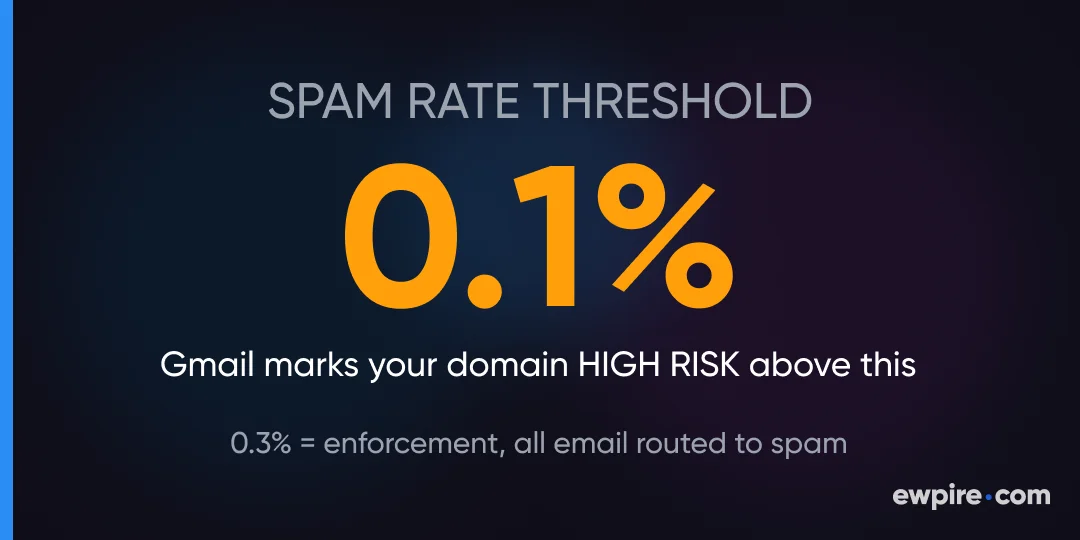
Gmail's spam threshold is 0.1% for warnings, 0.3% for enforcement. At 0.3%, Gmail begins routing your domain's email to spam for all recipients – not just cold prospects. That means transactional email, receipts, and password resets start failing. Recovery takes 2-4 weeks minimum.
Setting up the automation (tool-agnostic walkthrough)
Parser → Mailer → CRM loop
Three components: a parser that finds and scores contacts, a mailer that sequences and sends, and a CRM that classifies replies. The parser runs daily – pulling new prospects who match your ICP, verifying emails (MX + SMTP check), scoring by trigger events. The mailer pulls from that queue, applies the touch sequence, randomizes send timing (2-7 minute intervals, not batch sending), and stops a sequence the moment a reply arrives. The CRM (or a classification layer) tags replies: interested, not now, wrong person, unsubscribe.
Every outbound email must include a clear, one-click unsubscribe link – CAN-SPAM requires this for US recipients, and GDPR requires an opt-out mechanism for EU recipients.
UTM tracking from email to trial conversion
Every link in every email carries UTM parameters: utm_source=email, utm_medium=outbound, utm_campaign={campaign_id}, utm_content={lead_id}. This lets you trace a conversion back to the exact email touch that triggered it – which follow-up number, which subject line variant, which campaign. Without this, you are optimizing blind.
When to intervene manually
Two situations: when a reply is ambiguous (AI classification uncertain, >50% confidence gap) and when a reply indicates a high-value prospect (Series B+ company, VP or above title, explicit buying signal). In both cases, flag for human review. Do not let automation send a response to a warm lead who asked a specific technical question.
The 3 mistakes that kill AI email campaigns
Sending too many touches (the 5+ myth)
The data from Lemlist's 2025 cold email benchmark (4.2M sequences analyzed): response rate peaks at touch 3 for most B2B markets and plateaus after touch 5. Touches 6 through 10 add less than 0.4% incremental response rate while meaningfully increasing unsubscribes and spam complaints. Stop at 5.
Personalizing the wrong variable
Personalizing the company name, industry, and job title is table stakes. Every tool does this. The variable that moves reply rates is the problem reference – a specific pain point your prospect is actively experiencing right now, evidenced by their public behavior. A job posting for a "Sales Operations Manager" tells you they have a sales process problem. Reference that.
Ignoring reply classification
Not every reply is a yes or a no. "Send me more info" and "who are you" and "not right now, check back in Q3" require different responses. Automated reply classification into 6-8 buckets (interested, objection, wrong person, timing, referral, competitor mention, not interested) lets you route each reply to the correct next action – and build a re-engagement list for "not now" prospects for the 90-day follow-up cycle.
Try the AI Sales Agent free for 3 days
ewpire's AI Sales Agent runs this entire system – trigger event research, personalized email drafts, 5-touch sequencing, reply classification – without setup calls or complex onboarding. The 3-day Starter trial gives you enough time to run one campaign sequence and see real replies (results vary by industry, list quality, and ICP definition).
Try it: ewpire.com/pricing
Frequently Asked Questions
How many emails per day is safe for cold outreach in 2026?
50 emails per day is the recommended maximum for a warmed domain with a solid sender reputation. Going above this with a single domain and email address increases spam risk disproportionately to the volume gain. If you need higher volume, use multiple warmed domains on a rotation – not a single domain at 200+/day.
What reply rate should I expect from AI cold email?
A well-built AI cold email campaign targeting a verified list with strong personalization achieves 5-8% reply rates in B2B markets in 2026 (results vary by industry, list quality, and ICP definition). Industry average for generic automated outreach is 1-2%. The gap is the quality of trigger event research and the quality of the first sentence.
How do I prevent my cold emails from landing in spam?
Three things matter most: domain warmup (minimum 2-3 weeks before cold sending), list hygiene (verify every email address before sending – target 98% deliverability, not 85%), and content quality (plain text only, one link maximum, no spam trigger words in subject line). Monitor Google Postmaster Tools daily.
Can AI write cold emails that pass anti-AI detection?
Yes, with the right configuration. The key variables are sentence length variation (mix short, medium, long within each email), deliberate conversational constructions that differ from AI's default formal register, and one specific personal detail that could not have been mass-generated. Generic AI prompts produce detectable output – purpose-built prompts trained on high-performing human email samples do not.
What is the legal basis for emailing EU-based prospects?
If emailing EU-based prospects, ensure your outreach has a lawful basis under GDPR – typically legitimate interest (Art. 6(1)(f)) for B2B. Document your balancing test. This is not legal advice; consult a qualified data protection advisor.
Is a 5-touch sequence enough for B2B cold email?
Yes. Lemlist's 2025 benchmark of 4.2 million cold email sequences found that reply rates plateau after touch 5. Touches 6 through 10 add minimal incremental response while increasing unsubscribe rates and spam complaints. A well-written 5-touch sequence outperforms a mediocre 10-touch sequence.
What is the best time to send cold emails?
Tuesday through Thursday, morning local time for the recipient. For US B2B targets, 7:00-9:00 AM recipient time performs strongest. Avoid Monday mornings (full inbox clearing mode) and Fridays (end-of-week disengagement). Never send on weekends.
How do I track which cold email touches convert to paid customers?
UTM parameters on every link: utm_source=email&utm_medium=outbound&utm_campaign={id}&utm_content={lead_id}. When a prospect converts, GA4 captures the UTM attribution and you can trace the conversion back to the exact email and touch number. This is not optional – without it you cannot optimize your sequence.
This article is educational content, not legal advice. Cold email regulations vary by jurisdiction. Ensure your outreach complies with CAN-SPAM (US), GDPR (EU), CASL (Canada), and applicable local laws. Results described are based on specific configurations and may vary.